
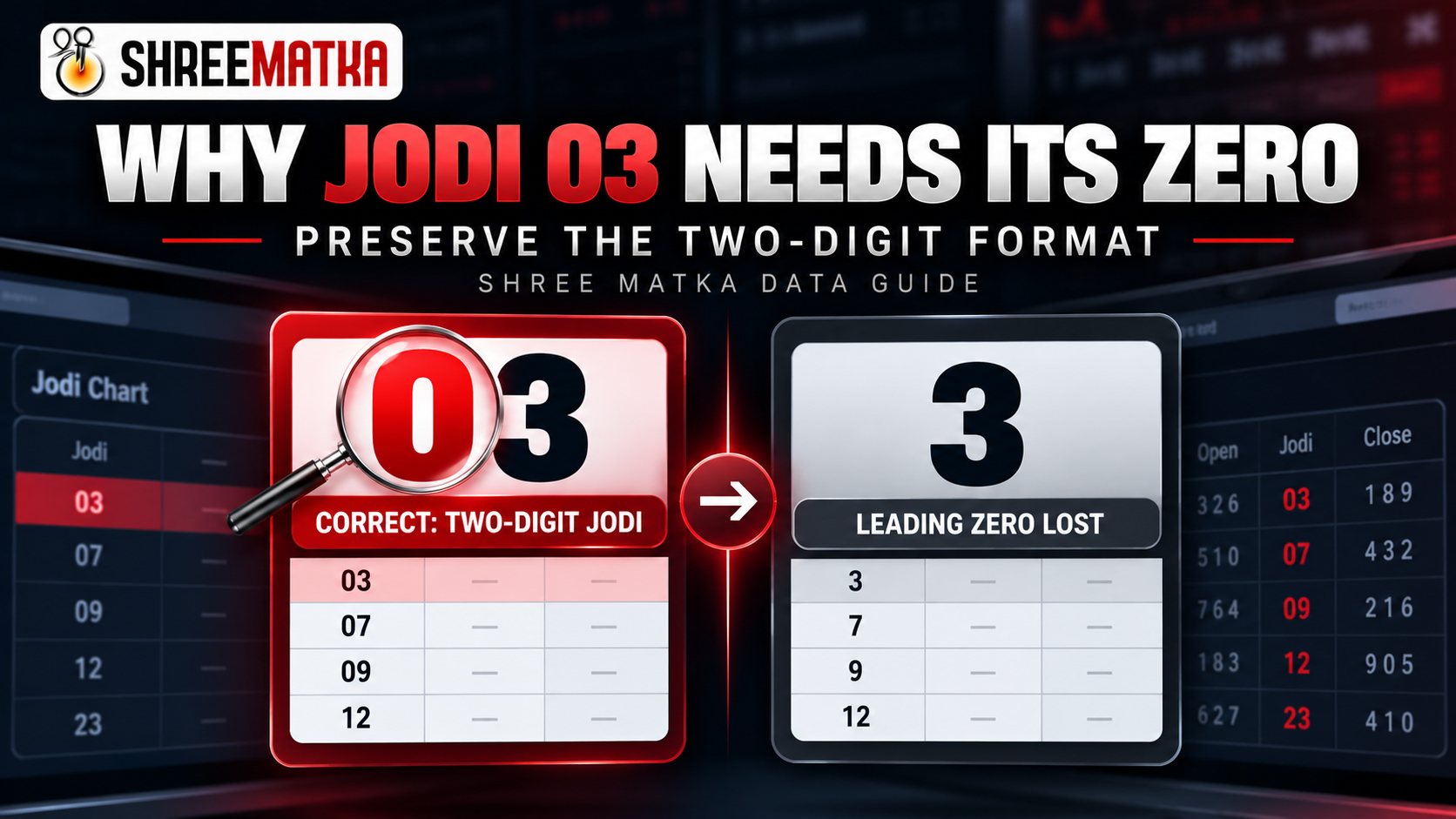
A Jodi is structurally a two-digit positional label that joins an Open Single Ank with a Close Single Ank. In a pair such as 03, the leading zero represents the fact that the Open draw resulted in 0, while the Close draw produced 3. In pure arithmetic, 03 and the integer 3 share the same scalar quantity, but in database and chart representation, stripping the zero collapses a two-character categorical key into an ambiguous single character. To maintain data integrity, Jodis must remain fixed-width two-character strings throughout storage, serialization, and presentation.
In standard computer programming and arithmetic calculation, leading zeroes are often treated as superfluous. When you write 03 in a calculator or execute parseInt("03") in a script, the system strips the prefix and evaluates the number as 3. In normal arithmetic—such as calculating a monetary total or summing an invoice—this behavior is completely harmless because 3 dollars is equal to 03 dollars.
In Satta Matka recordkeeping, however, treating a Jodi as a generic numerical scalar causes immediate data corruption. A Jodi is not an arithmetic count; it is a two-character discrete categorical code. When a leading zero is inadvertently removed, software systems break: table columns misalign, automated string comparisons fail, algorithmic color highlights malfunction, and database exports become ambiguous.
What Is a Two-Digit Jodi?
In Satta Matka terminology, a Jodi (literally translating to "pair" or "couple") is the fundamental two-digit numerical result created by joining the outcome of two consecutive session draws:
- The Open Ank: A single digit from
0through9, derived from the modulo-10 sum of the 3-digit Open Pana. - The Close Ank: A single digit from
0through9, derived from the modulo-10 sum of the 3-digit Close Pana.
Concatenating the Open Ank and Close Ank forms the full Jodi outcome space, which contains exactly 100 distinct combinations ranging from 00 through 99. For a comprehensive overview of how Pana sums derive these combinations, consult our detailed Satta Matka Jodi & Panel Chart Guide.
Consider the following standard Jodi values across different decades of the outcome space:
00— Open Ank is 0, Close Ank is 0 (Red Jodi twin).03— Open Ank is 0, Close Ank is 3.07— Open Ank is 0, Close Ank is 7.09— Open Ank is 0, Close Ank is 9.12— Open Ank is 1, Close Ank is 2.30— Open Ank is 3, Close Ank is 0.
Notice that the leading zero in 03, 07, and 09 is not an optional aesthetic flourish. It is the concrete physical record of the first draw. The leading zero communicates that the Open session declared an Ank of 0.
Why 03 and 3 Are Not Interchangeable in a Jodi Chart
A common misconception among non-technical observers is that writing "3" in a chart cell means the exact same thing as writing "03". To understand why this is false, consider what each string communicates to a reader and to an automated parser:
| Displayed Value | Data Type Interpretation | What It Communicates in a Matka Context | Integrity Status |
|---|---|---|---|
03 |
Fixed-width 2-character String | Open Ank is 0; Close Ank is 3. Full complete Jodi. |
Valid & Unambiguous |
3 |
Truncated String or Integer | Ambiguous: Could be a Single Ank, an unclosed partial draw, or a corrupted Jodi. | Corrupted Representation |
13 |
Fixed-width 2-character String | Open Ank is 1; Close Ank is 3. Completely different pair from 03. |
Valid & Distinct |
30 |
Fixed-width 2-character String | Open Ank is 3; Close Ank is 0. Reversed positional arrangement. |
Valid & Distinct |
The Critical Formatting Distinction: We do not claim that the mathematical scalar quantity of 03 differs from 3. If you subtract 3 from 03, the result is 0. However, in chart publishing, we are not performing arithmetic; we are presenting two discrete categorical positions. When you write 3 in a two-digit Jodi table, you have eliminated the first position entirely.
How a Leading Zero Can Disappear
If leading zeroes are so critical, how do they get dropped in the first place? In modern software systems and web engineering pipelines, leading zeroes usually vanish due to automatic type coercion:
-
Integer Type Conversion: Passing a string like
"03"into functions such as Java'sInteger.parseInt()or Python'sint()converts the value into an internal numeric binary representation. Numbers have magnitude, not formatting. When that number is subsequently printed or serialized without a formatter, it renders as3. -
Database Column Type Mismatches: Storing a Jodi in an
INTorTINYINTcolumn instead of aVARCHAR(2)orCHAR(2)column strips the leading zero at the storage engine level. When retrieved, the database driver delivers the integer3. -
Automatic Spreadsheet Type Inference: Opening a CSV file in Excel or Google Sheets triggers an automatic scanning heuristic. When the software detects the characters
03, it assumes the user typed a standard number, drops the zero, and displays3. -
Unformatted Template Rendering: If a backend delivers an integer
3and a frontend template renders it directly via${cell.jodi}without applying a two-digit padding utility, the browser renders the single digit directly into the table cell.
An inspection of Shree Matka's backend codebase reveals that the application avoids automatic numeric truncation by design. In PublicPageController.java, single digits are derived via modulo arithmetic ((digit1 + digit2 + digit3) % 10) and stored as String objects. The Jodi is formed via string concatenation:
row.setJodi(row.getOpenDigit() + row.getCloseDigit());
Because the Open digit "0" is joined directly with the Close digit "3" as textual characters, the resulting string is preserved as "03" without passing through an intermediate integer downcast.
What Happens When Jodi Formatting Is Lost?
When a system fails to preserve leading zeroes and emits single-digit Jodis, the consequences ripple across both user interface presentation and automated backend logic:
1. Visual Misalignment in 7-Day Weekly Chart Grids
On pages like the Main Bazar Jodi Chart, results are arranged in a 7-column calendar matrix (Monday through Sunday). Each cell is designed to host a consistent two-digit figure styled with monospace or tabular numbers. When an entry collapses from two characters to one, the visual rhythm of the table breaks, creating an irregular appearance that causes users to second-guess the accuracy of the platform.
2. Algorithmic Failure in Red Jodi Classification
Satta Matka charts highlight "Red Jodis"—pairs where digits are identical (e.g., 00, 55) or form half-red cut pairs differing by 5 (e.g., 05, 50). In Shree Matka's codebase, the validation logic in PublicPageController.checkIsRedJodi(String jodi) includes a strict defensive guard:
private boolean checkIsRedJodi(String jodi) {
    // Defensive guard: rejects any jodi that does not contain exactly two characters
    if (jodi == null || jodi.length() != 2 || jodi.contains("*")) return false;

    int d1 = Character.getNumericValue(jodi.charAt(0));
    int d2 = Character.getNumericValue(jodi.charAt(1));
    return d1 == d2 || Math.abs(d1 - d2) == 5;
}
If a Jodi like 05 (which is a valid Red Jodi because |0 - 5| = 5) loses its leading zero and enters the method as "5", the condition jodi.length() != 2 triggers immediately. The method aborts, evaluates to false, and the chart fails to apply the red styling.
3. Broken String Comparisons and Settlement Matching
In automated bet settlement engines, wagers are evaluated against declared results using exact string equality:
betJodi.equals(resultJodi)
If a user wagers on Jodi "03", but a truncated result system provides "3", the equality check evaluates to false even though the player selected the correct digits. Consistent formatting is therefore a fundamental prerequisite for automated data matching.
How to Preserve Leading Zeroes in Tables and APIs
To avoid truncation, software engineers and data analysts must implement explicit formatting guards across all layers of the application stack:
1. Implementation in Java
When working with an integer variable in the range 0 to 99, use standard fixed-width formatting:
// Ensures integers 0-9 receive a leading zero, outputting "00", "03", etc.
int rawJodiValue = 3;
String formattedJodi = String.format("%02d", rawJodiValue);
// Output: "03"
Alternatively, if the data is already stored as separate Open and Close digits, preserve them as strings without converting them into a single integer:
int openAnk = 0;
int closeAnk = 3;
// Safe string assembly preserves leading zero natively
String jodiLabel = String.valueOf(openAnk) + String.valueOf(closeAnk);
// Output: "03"
2. Implementation in JavaScript / TypeScript
In frontend frameworks or Node.js services, use the native padStart() method:
// Pads single-digit values to exactly 2 characters
const rawJodi = 3;
const jodiLabel = String(rawJodi).padStart(2, "0");
// Output: "03"
3. Database Schema Recommendations
In relational databases like PostgreSQL or MySQL, represent fixed-width discrete codes using string column types:
- Recommended:
jodi VARCHAR(2)orCHAR(2). This ensures that whatever string is inserted is preserved byte-for-byte. - If Using Numeric Columns: If legacy schemas store Jodis as
SMALLINTorTINYINT, ensure that the Data Transfer Object (DTO) or view model formats the number via%02dprior to serializing the JSON response.
How to Preserve Jodi Values in Excel, Google Sheets and CSV Files
Spreadsheets are notoriously aggressive when guessing data types. If you download a CSV of historical Matka records or copy table cells into Excel, the application will frequently strip 03 to 3. Here is how to prevent this behavior:
'03. The apostrophe informs the software that the entry is literal text; the apostrophe remains hidden while the full "03" is displayed.
="03" or wrap the field in double quotes ("03").
0 through 9, your import tool has stripped leading zeroes and must be re-run with text mode enabled.
How to Check a Jodi's Formatting on Shree Matka
To verify that a Jodi chart maintains proper two-digit data formatting on Shree Matka, follow this simple inspection procedure:
- Navigate to any official market chart, such as the Main Bazar Jodi Chart or the comprehensive Charts Hub.
-
Scan the weekly grid rows for historical draw sessions where the Open Ank was
0(for example, dates where the result was03,07, or00). -
Confirm that the table cell displays both digits clearly with equal visual width compared to adjacent cells such as
45or89. -
Highlight the text with your cursor and copy it to your clipboard. Paste it into a plain-text editor (such as Notepad). The pasted content should read
03, confirming that the leading zero exists in the underlying HTML DOM and was not artificially simulated with CSS margins.
Common Mistakes When Handling Two-Digit Jodis
Avoid these frequent pitfalls when building software, analyzing chart datasets, or sharing Matka records:
- Treating a Jodi as an Arithmetic Number: Remembering that a Jodi is a label rather than an amount prevents developers from applying mathematical formulas directly to concatenated strings.
- "Sanitizing" Datasets by Stripping Zeroes: Some automated database cleaning scripts strip leading zeroes under the mistaken belief that they represent data entry errors. Always exempt fixed-width identifier columns from trimming operations.
- Assuming 03 and 3 Represent Different Outcomes: While the formatting is different, seeing "3" in an external third-party chart usually means the site suffered a formatting defect, not that a different draw occurred. Always check the primary source on Shree Matka to confirm the authentic two-character record. For more on resolving discrepancies across portals, read our guide on Why Matka Results Differ Between Websites.
-
Omitting Fixed-Width Formatters in JSON APIs: Delivering a numerical
{"jodi": 3}forces every mobile and web client to invent its own formatting layer. Always deliver discrete codes as pre-formatted strings:{"jodi": "03"}.
Frequently Asked Questions
Conclusion & Key Takeaways
Data integrity in Satta Matka chart management depends on treating numbers according to their real-world semantics. To summarize:
- A Jodi is an ordered two-character identifier representing an Open Ank and a Close Ank.
- In values like
03,07, and09, the leading zero communicates that the Open Ank was0. - Stripping the leading zero degrades the label to a single digit, causing chart misalignments, failed algorithmic checks, and broken string equality tests.
- Preserve leading zeroes by using string data types, explicit formatters (
%02din Java,padStart(2, "0")in JavaScript), and Text mode in spreadsheet applications.
Editorial & Responsible Gaming Notice: This article is published solely for educational, technical, and data-integrity analysis. Shree Matka does not offer prediction formulas, sure-shot tips, or gambling strategies. Satta Matka involves financial risk and may not be legal in all jurisdictions. Users must be 18 years of age or older.