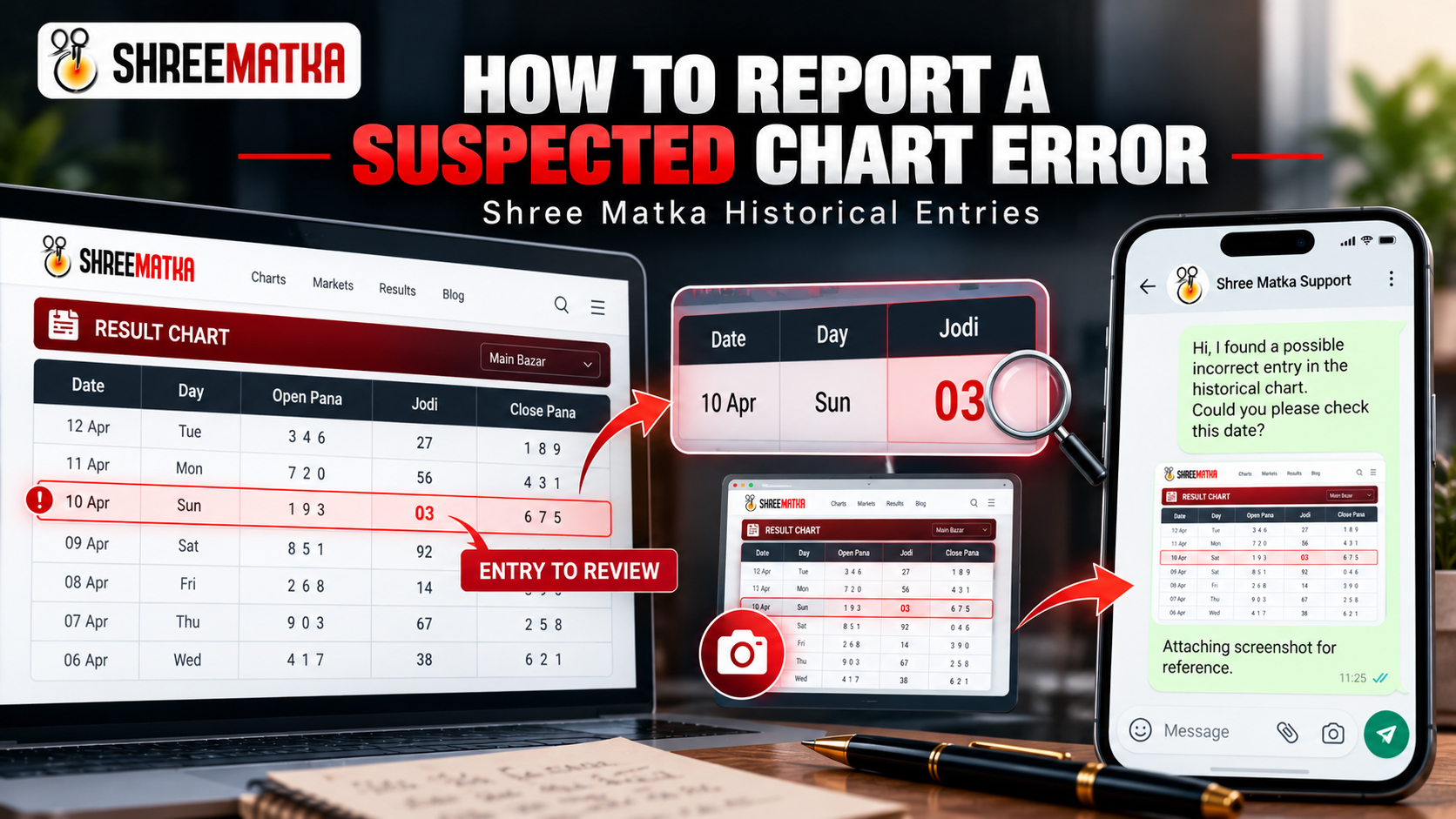
Historical result charts across digital Matka platforms represent extensive chronological records spanning months and years. While automated database pipelines record open and close sessions daily, users occasionally spot an entry that looks unexpected or inconsistent with other notes.
When an anomaly catches your eye, it is vital to remember a fundamental rule of data auditing: a suspected error is not automatically a confirmed error. Before submitting an inquiry, verify whether what you are observing is a genuine data entry discrepancy or merely an expected difference in formatting, calendar alignment, or session timing.
First, Check the Entry Carefully
Before reaching out to customer support, performing a few basic sanity checks can save time and prevent false alarms. Many reported "errors" turn out to be ordinary display conventions or mismatched comparisons.
Work through the following verification points:
- Confirm the Exact Market Name: Markets often have closely related names (e.g., Kalyan Day vs Kalyan Night, Milan Day vs Milan Night, Rajdhani Day vs Rajdhani Night). Ensure you have not accidentally opened a night chart when investigating a daytime result.
- Verify the Calendar Date: Confirm the day of the week and full calendar date displayed on the chart row. Historical charts are structured in weekly Monday-to-Sunday or Monday-to-Saturday blocks; ensure you are not viewing the previous week's corresponding weekday column.
- Identify the Session or Category: Determine whether the suspected cell is an Open Pana, a Close Pana, or the central two-digit Jodi. In Matka modulo-10 arithmetic, the sum of the three Open Pana digits produces the open single digit, and the sum of the Close Pana digits produces the close single digit. Check whether the arithmetic internally aligns before suspecting corruption.
- Distinguish Active Placeholders from Historical Records: If a draw session has just concluded or is currently active, the table might temporarily display placeholder symbols (such as
***-**-***or a single open bracket). A placeholder awaiting final declaration is an incomplete pending state, not a corrupted historical entry. - Evaluate Comparison Sources: If you believe an entry is wrong because another website displays a different number, review our detailed guide on why Matka results look different across different websites. Third-party portals frequently utilize different settlement conventions, delayed manual updates, or unverified approximations. A discrepancy across platforms does not automatically mean the Shree Matka record is incorrect.
- Confirm Jodi vs Panel Chart Formats: Understand whether you are viewing a summarized Jodi matrix or a detailed 8-digit Pana ledger. You can cross-reference the layout definitions in our Jodi & Panel Chart Guide 2026.
| Observed Condition | Likely Explanation | Should You Report It? |
|---|---|---|
Row displays asterisks ***-**-*** |
Active market session has not yet opened or closed; database is awaiting declaration. | No (Wait for close) |
Jodi shows 03 instead of 3 |
Standard two-digit fixed width formatting preserved to maintain tabular integrity. | No (Standard format) |
| Third-party portal shows different number | Format difference, timezone variance, or third-party typo. | Check source first |
| Pana sum arithmetic does not match Jodi | Open Pana 128 (sum 11 → 1) but displayed Jodi shows 47 instead of 1x. |
Yes (Report for review) |
| Duplicate date row or missing calendar day | Potential table pagination indexing glitch or missing record. | Yes (Report for review) |
Collect Details Before Contacting Support
When submitting a review request, vague messages like "Kalyan chart is wrong" or "fix yesterday's result" cannot be investigated efficiently. The administrative team manages dozens of active and historical markets with thousands of historical rows.
To allow the data team to pinpoint the exact cell, gather the following specific parameters before contacting support:
-
Market Name & Chart TypeNote the exact market title as written on the page (e.g., Kalyan, Main Bazar, Milan Day) and whether it is a Jodi Chart or a Pana/Panel Chart.
-
Exact Calendar DateThe precise date associated with the row (e.g.,
14 October 2026). Specify the day of the week if viewing a weekly grid table. -
Page URL or In-App RouteCopy the complete browser URL (such as
https://shreematkasatta.com/chart/pana/kalyan) or the exact in-app screen name where the record was encountered. -
Currently Displayed Value (Exact Copy)Copy the digits exactly as they appear on screen. Preserve leading zeroes, hyphens, and spaces. For instance, write
128-14-257or Jodi03—do not shorten03to3. -
Reason for SuspicionExplain concisely why the entry appears inconsistent. For example: "The Open Pana is 149 (sum 14 → 4), but the Jodi open digit displays 2 instead of 4."
-
A Clear ScreenshotTake a clear screenshot that captures not just the single number, but also the date header, market title, and neighboring cells. Visual context allows auditors to locate the row instantly.
How to Contact the Shree Matka Admin Through the App
If you use the official Shree Matka Android application, reaching customer support is built directly into the interface. The mobile application does not use an internal bug-ticketing queue; rather, it connects you directly to verified communication channels.
Follow the exact verified navigation steps in the mobile app:
Option A: Home Screen Support Quick Links (Fastest)
- Open the official Shree Matka app and remain on the Home screen.
- Scroll below the primary market cards to find the Support Quick Links bar.
- Tap the green WhatsApp Support button (featuring the WhatsApp icon and official number) to launch an instant chat with pre-configured support details.
- Alternatively, tap Call Support to open your phone dialer with the official helpline.
Option B: Top Navigation Help & Support Menu
- From the top app bar on the Dashboard, tap the Support / Profile icon located at the top-right corner.
- The Help & Support bottom sheet will slide up, displaying active support timings along with verified contact options: WhatsApp, Telegram Channel, Call Support, and Email Support.
- Tap WhatsApp or Email Support to paste your prepared report and attach your screenshot.
How to Report the Error Through Official WhatsApp Support
WhatsApp is the primary, fastest, and most convenient verified support channel for Shree Matka. It allows you to deliver high-resolution screenshots and structured text reports without creating an account or logging in.
To report a suspected historical chart error via WhatsApp:
- Access the Official Link: Click the verified WhatsApp Support button in the website header, the customer care link in the footer, or the button below. On mobile devices, this opens WhatsApp directly; on desktop browsers, it opens WhatsApp Web.
- Paste the Reporting Template: Use the standardized format provided in the next section.
- Attach Your Screenshot: Send the screenshot as a media attachment so the support specialist can verify the visual layout.
shreematkasatta.com or inside the official app. Never contact phone numbers published in third-party Telegram channels, YouTube comment sections, or unverified WhatsApp groups.
What Should You Write in the Error Report?
To ensure your message contains every detail needed for an administrative audit, copy and complete this standardized message template:
Subject: Request to Review a Historical Chart Entry

Hello Shree Matka Support Team,

I would like to report a historical chart entry that may need verification.

Market name: [Exact market name, e.g. Kalyan Day]
Entry date: [DD Month YYYY, e.g. 14 October 2026]
Session/chart type: [Exact session or chart type, e.g. Open Pana / Close Jodi]
Chart URL or section: [Link to the relevant page, e.g. https://shreematkasatta.com/chart/pana/kalyan]
Entry currently displayed: [Copy the displayed value exactly, e.g. 128-14-257]
Reason for reporting: [Briefly explain the suspected inconsistency]
Reference source: [Optional source or reference]
Screenshot: [Attach if available]

Could you please review this entry and let me know whether any correction is necessary?

Thank you.
Editorial Advice: State your observation objectively. Do not state an alternative number as an undisputed fact or demand an immediate change. By explaining what looks inconsistent, you give the administrative team the exact clues needed to check primary ledger logs.
What Happens After You Submit a Report?
Understanding how the review process functions helps set appropriate expectations. Shree Matka does not operate an automated public ticketing portal, live issue tracker, or automated email acknowledgement queue. Instead, incoming reports are audited administratively.
Here is the actual lifecycle of a historical data inquiry:
- Report Received: Your message and screenshot arrive in the central WhatsApp or email support inbox.
- Initial Triage: The support team checks whether the report includes the necessary market name, date, and displayed record. If essential fields are missing, support may ask for a screenshot.
- Ledger & Database Cross-Verification: The data administration team checks the reported date against primary market declaration records, authoritative ledger sheets, and historical logs.
- Outcome Evaluation:
- Correction Made: If a genuine typographical error or digit transposition occurred in the digital chart matrix, the database entry is corrected. Once updated, the chart displays the verified historical record for all visitors.
- No Change Required: If the administrative review confirms that the existing record matches authentic original market declarations (for example, if the user relied on an inaccurate third-party source or confused daylight session hours), the entry remains unchanged.
How to Check an Entry After Reporting It
After submitting a review request, how can you determine whether the historical entry was verified or modified?
Follow these technical steps:
- Allow Appropriate Time: Give the administrative team time to audit historical records during operational support hours. Avoid repeatedly messaging the helpline while a review is underway.
- Perform a Hard Browser Refresh: Chart pages are optimized for high performance and may be cached by your web browser or content delivery network. On desktop browsers, visit the chart URL and press Ctrl + F5 (or Cmd + Shift + R on macOS) to bypass cached HTML and fetch the latest database state.
- Mobile App Refresh: In the Shree Matka Android app, navigate away from the chart screen and re-open it, or pull down to trigger a fresh data load from the backend API.
- Respect the Final Published State: If several days pass and the entry remains identical, the review team has verified that the published number is the authentic, original record. Do not assume an unacknowledged report implies a failure to review; the original entry was simply correct.
Protect Your Information When Contacting Support
Reporting a historical chart error is an editorial and technical verification process. It does not require any account secrets or financial details.
- NEVER Send Account Passwords or Login PINs: Authentic Shree Matka support personnel will never ask for your account password or app security PIN.
- NEVER Share OTPs (One-Time Passwords): OTPs sent via SMS are private authentication credentials. Sharing an OTP can compromise your account.
- NEVER Provide Banking Credentials or Payment PINs: Chart auditing involves public data tables. No payment details, UPI PINs, or wallet credentials are ever needed.
- Use Only Verified Links: Confirm you are interacting via links on
shreematkasatta.comor the verified in-app menu.
Frequently Asked Questions
Explore answers to common questions regarding historical chart reviews and customer support procedures:
Conclusion & Key Takeaways
Maintaining clean, accurate historical ledgers is vital for analysts and readers who study market patterns. When reporting an anomaly, remember these key principles:
- Verify First: Confirm the market name, calendar date, and Pana-to-Jodi arithmetic before suspecting an error.
- A Suspected Error is Not a Fact: Frame your report as an observation requesting review, rather than a predetermined correction.
- Provide Concrete Coordinates: Include the market, date, exact digits, URL, and screenshot to help the admin team locate the cell immediately.
- Use Verified Channels: Reach out exclusively via official in-app quick links or the website's WhatsApp support link.
- Protect Account Secrets: Never provide passwords, OTPs, or financial details to any support representative.